
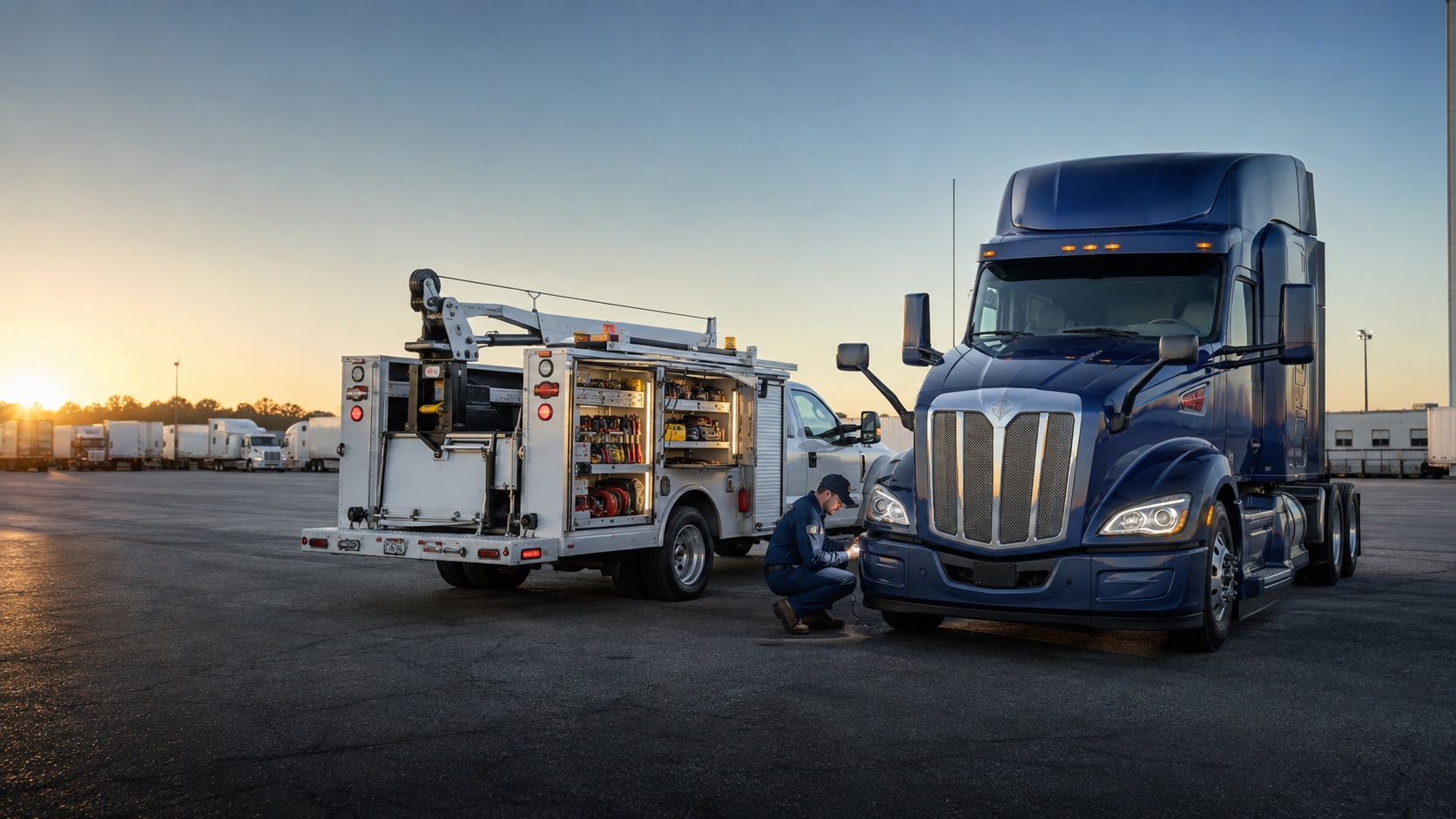
HEAVY-DUTY REPAIR SOFTWARE FOR MOBILE AND SHOP OPERATIONS
More time for the repair.
Keep your technicians prepared, your jobs moving, and your billing connected—from the first call to the final invoice.
THE DAILY PROBLEM
The repair is hard enough.
The handoffs shouldn’t be.
Missing field details become parts questions. Parts questions delay review. Disconnected records leave you chasing answers and wondering what was missed.
WrenchEngine connects dispatch, work orders, parts, scheduling, and billing so your team can carry the same job record through the service day.
See how the record moves01 / ARRIVE PREPARED
Start with the job
already in context.
Customer history, assigned work, access details, and truck inventory travel with the technician.
Dispatch prepares the handoff; the mobile work order keeps time, findings, parts, approvals, and documentation connected through closeout.
Explore work orders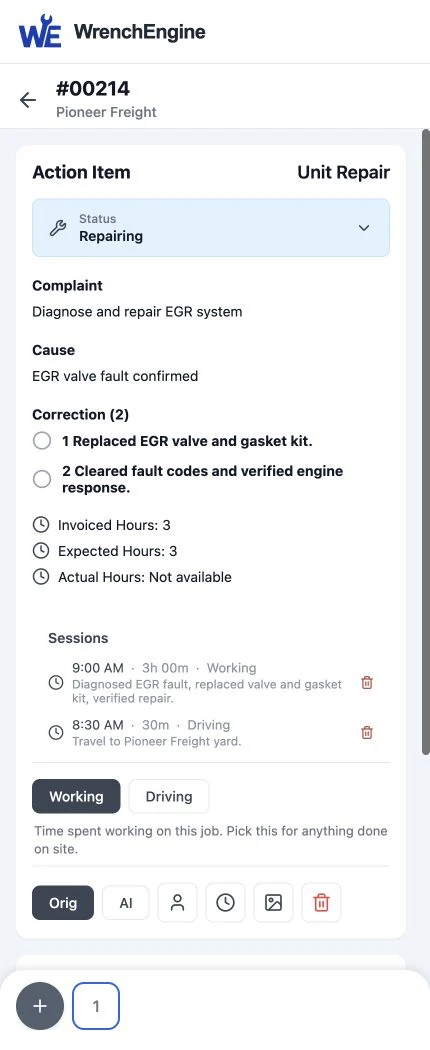
02 / VOICE-FIRST TECHNICIAN SUPPORT
Optional upgradeSay what you did.
Keep the job moving.
Technician Copilot (TC) is a voice-first optional upgrade that helps turn recorded repair work into an invoice draft.
Text and touch remain available. TC drafts invoices from recorded work and warns when work runs beyond its expected time. The technician decides what happens next.
Explore Technician Copilot“Prepare an invoice draft from the work recorded on unit 214.”
UNIT 214 / INVOICE PREPARATION
Draft for your review
- EGR valve assembly × 1
- EGR gasket kit × 1
- Labor 3 h · travel 0.5 h
- $1,118.00 · not approved or sent
Illustrative interaction using an existing work record. No microphone is active.
03 / MAKE BILLING EASIER
Turn a complete repair record into a reviewable invoice.
Connected labor, parts, travel, and documentation reduce reconstruction. This example uses optional TC for invoice creation and optional AI completeness review. Your proposal confirms the configuration; people always approve before sending.
ILLUSTRATIVE BILLING CONTROL
TC prepares the invoice.
You control the process.
Invoice creation begins according to the administrator setting.
Optional AI completeness review checks for missing work details and supporting documentation.
Approval is required before sending in both modes.
Delivery is separate from creation. Charging a payment method is separate again.
Customer-directed mode: a person asks TC to create the invoice, then approves it before sending.
04 / PREPARE THE NEXT VISIT
Move from reactive work
to a managed rhythm.
Use calendar, mileage, and engine-hour triggers to route service, schedule capacity, stage parts, notify customers, and support per-asset recurring billing.
Explore managed maintenance05 / RUN THE SHOP TOO
Coordinate people,
appointments, and parts.
Bring scheduled shop visits into the same customer and asset history as mobile repairs.
Dispatchers see technician capacity, parts teams stage material, and customers receive updates from one connected record.
Explore scheduling- Confirm the appointment
The dispatcher agrees a service window with Pioneer Freight and assigns the shop visit.
- Stage the PM material
The parts coordinator checks the requirements and stages material for unit 308.
- Carry out the scheduled service
The technician records the inspection and work against unit 308’s own service order.
06 / SEE ACROSS THE BUSINESS
Optional upgradeGive each leader
the right field of view.
Cockpit is an optional upgrade for role-specific priorities, brand performance, and controlled portfolio rollups.
Local teams work within assigned scope. Authorized leaders can move from portfolio context to the exception that needs action.
Explore Cockpit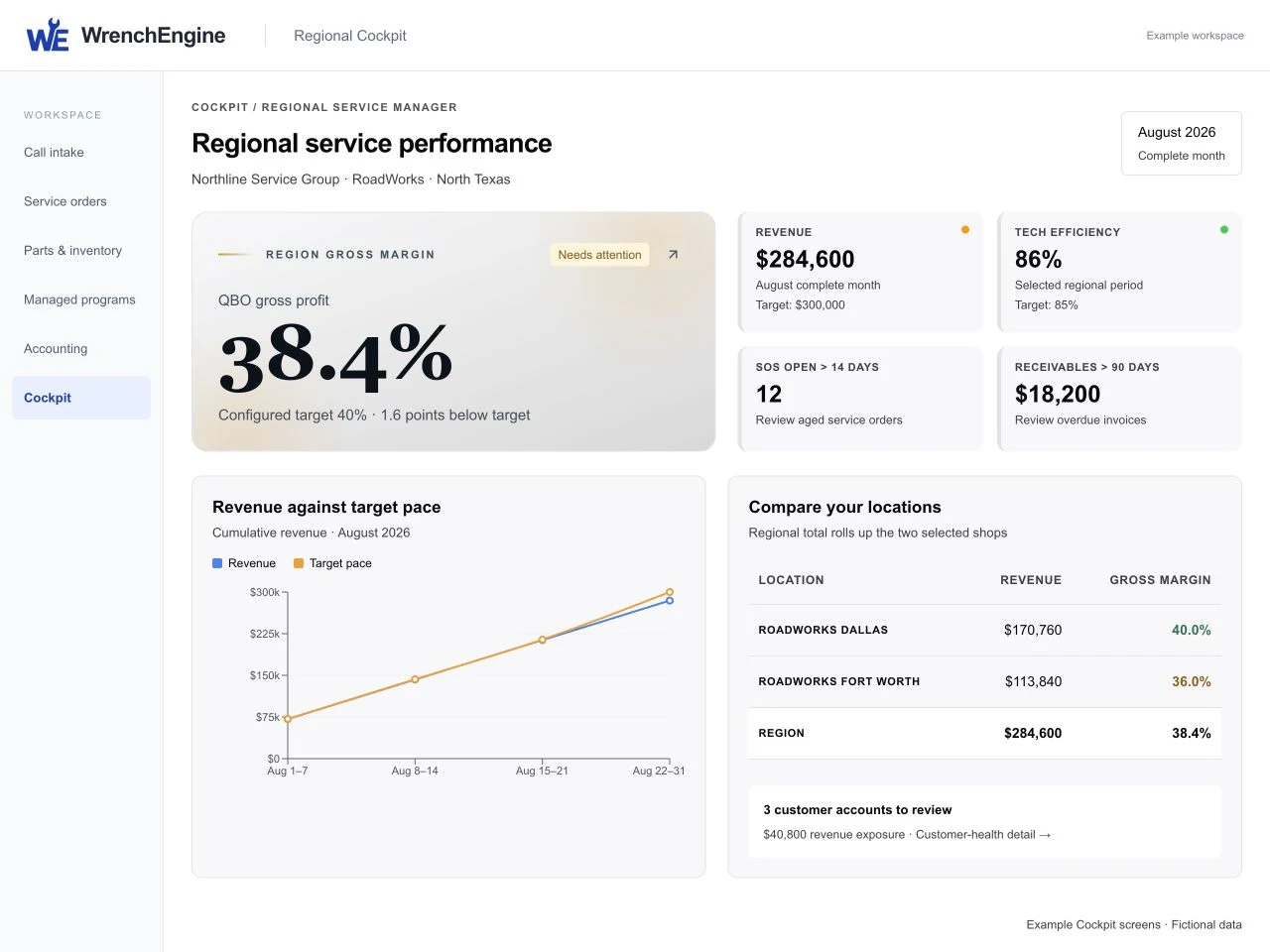
ONE CONNECTED SERVICE JOURNEY
- 01Request
- 02Prepare
- 03Repair
- 04Invoice
- 05Maintain
- 06Manage
A SIMPLE PATH FORWARD
See how WrenchEngine fits
before you choose.
- 01
Discuss your operation.
Show us how mobile work, shop work, maintenance, and management happen today.
- 02
See your workflow.
We’ll demonstrate the service-day handoffs that matter to your team.
- 03
Choose your configuration and rollout.
Receive a tailored proposal for the core platform, selected optional upgrades, and rollout.
CLEAR BEFORE YOU COMMIT
Questions service leaders ask.
- Mobile or shop?
- Both. Mobile service leads the story, and scheduled shop work uses the same customer and asset context.
- Are copilots and Cockpit included?
- No. Cockpit and the AI products—including Dispatcher Copilot, AI Dispatcher, and Technician Copilot—are optional upgrades.
- Does voice replace text and touch?
- No. Voice is one input option; text and touch remain available.
- Can TC send invoices on its own?
- No. Creation can be customer-directed or automatic, but both modes require human approval before sending.
- Can everyone see every brand?
- No. Access is limited to assigned operational scope; consolidated views are controlled for authorized leaders.
ABOUT WRENCHENGINE
Good repair work deserves software that respects the work.
WrenchEngine serves heavy-duty service leaders and the technicians, dispatchers, parts teams, accounting staff, and managers who keep fleet customers moving.
It exists to connect the details around the repair so capable people can spend less time reconstructing the day and more time serving the customer.
Contact WrenchEngineA CALMER, MORE CONNECTED SERVICE DAY
Spend more of the day moving repairs forward.
See WrenchEngine around your operation, your teams, and your customer commitments.
Request a personalized demo